Before you start
- Owners and admins can refund. Staff can see payments but not refund them.
- You decide. VECINTI never refunds a customer on its own, and there is no refund window or late-cancellation percentage to set. Your cancellation policy is shown to customers when they book, and you apply it.
- Any amount up to what is still refundable can go back, in one go or in parts.
Refund an online payment from the dashboard
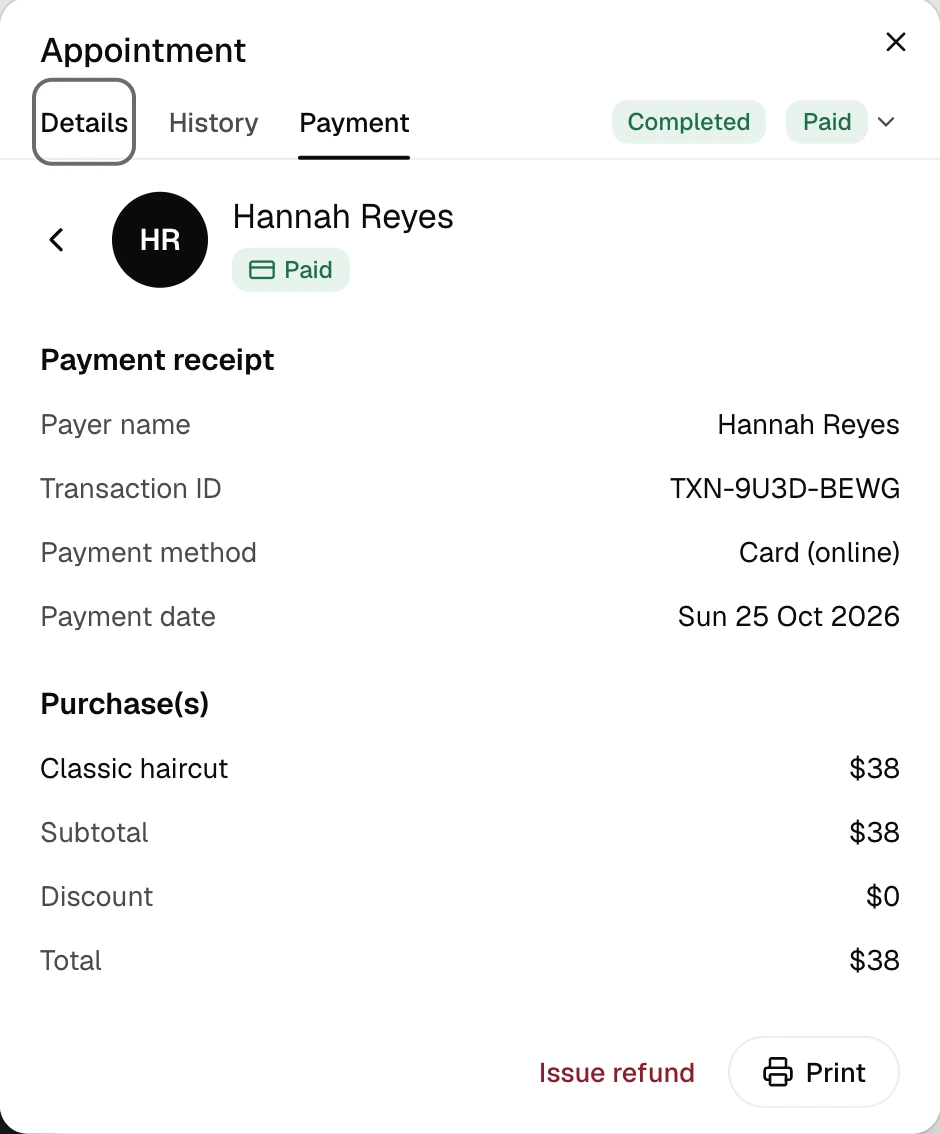
- Open the booking from the Calendar, the Overview, or the customer's profile, and open its Payment tab.
- Click the payment to open its receipt. The card payment, its date and what was already refunded are listed, with Issue refund at the bottom.
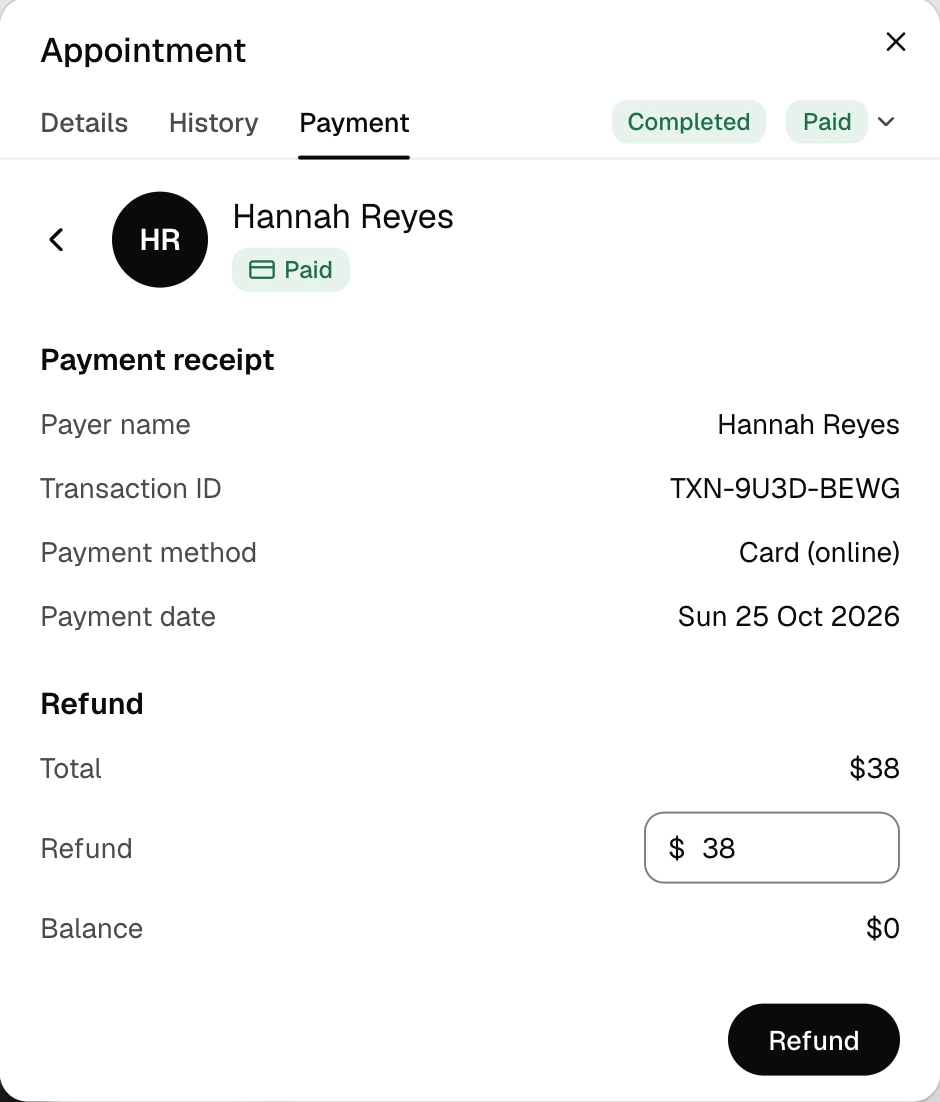
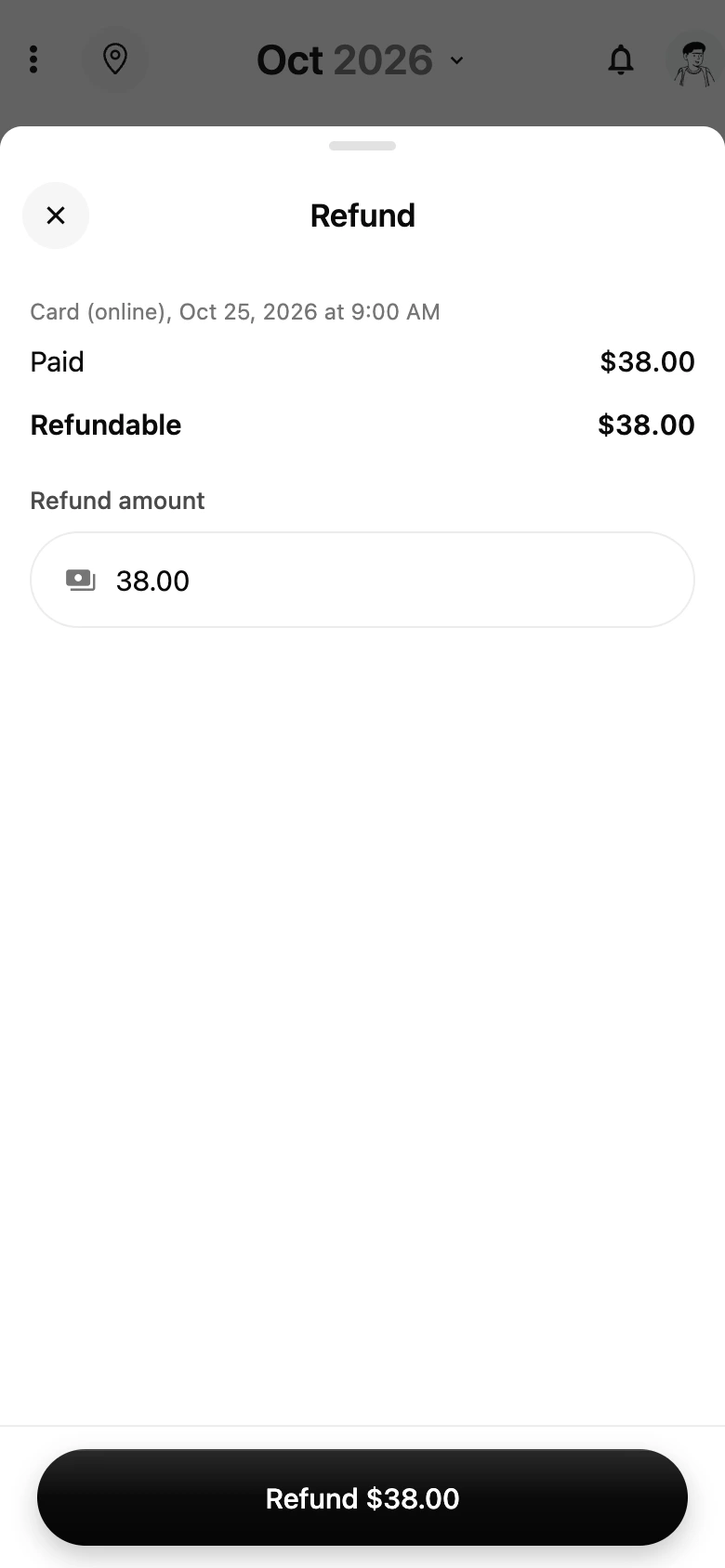
- Click Issue refund. The amount starts at everything that can still go back. Change it for a partial refund.
- Click Refund. You see "Refund issued" and the receipt shows the refund.
Refund an online payment from the app
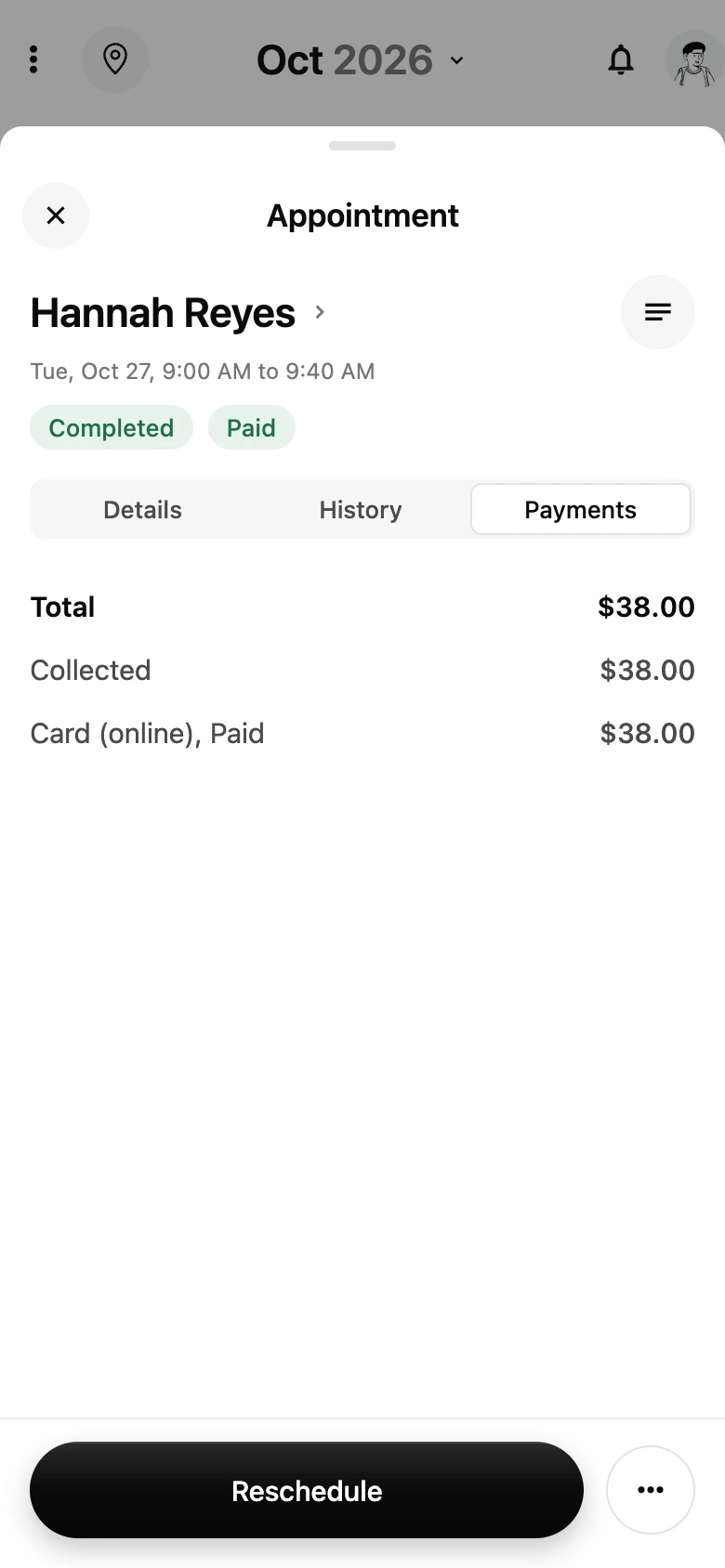
- Open the appointment from the Calendar and tap Payments to see what was paid and what can still go back.
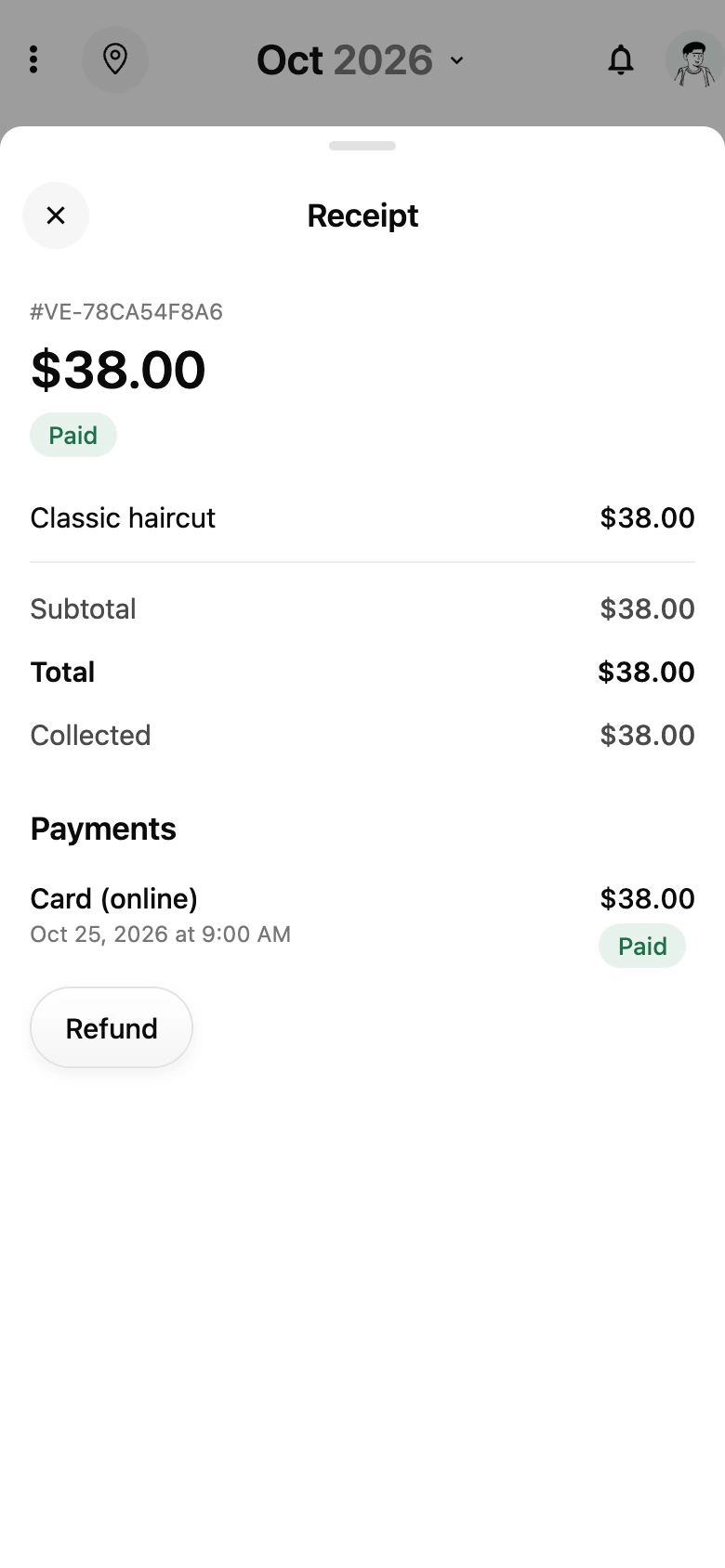
- From the appointment's menu choose View receipt, then tap Refund on the payment.
- The amount starts at everything refundable. Change it for a partial refund, tap Refund, and confirm.
Cancel a booking and refund it
Cancelling or declining a paid booking from the dashboard asks whether to refund. The switch Refund to the customer shows the amount paid online and is on by default. Turn it off to cancel without refunding, for example when your policy says so. The customer is told by email either way, and you can still refund later from the booking. Only owners and admins see the switch; a cancellation by staff never refunds.
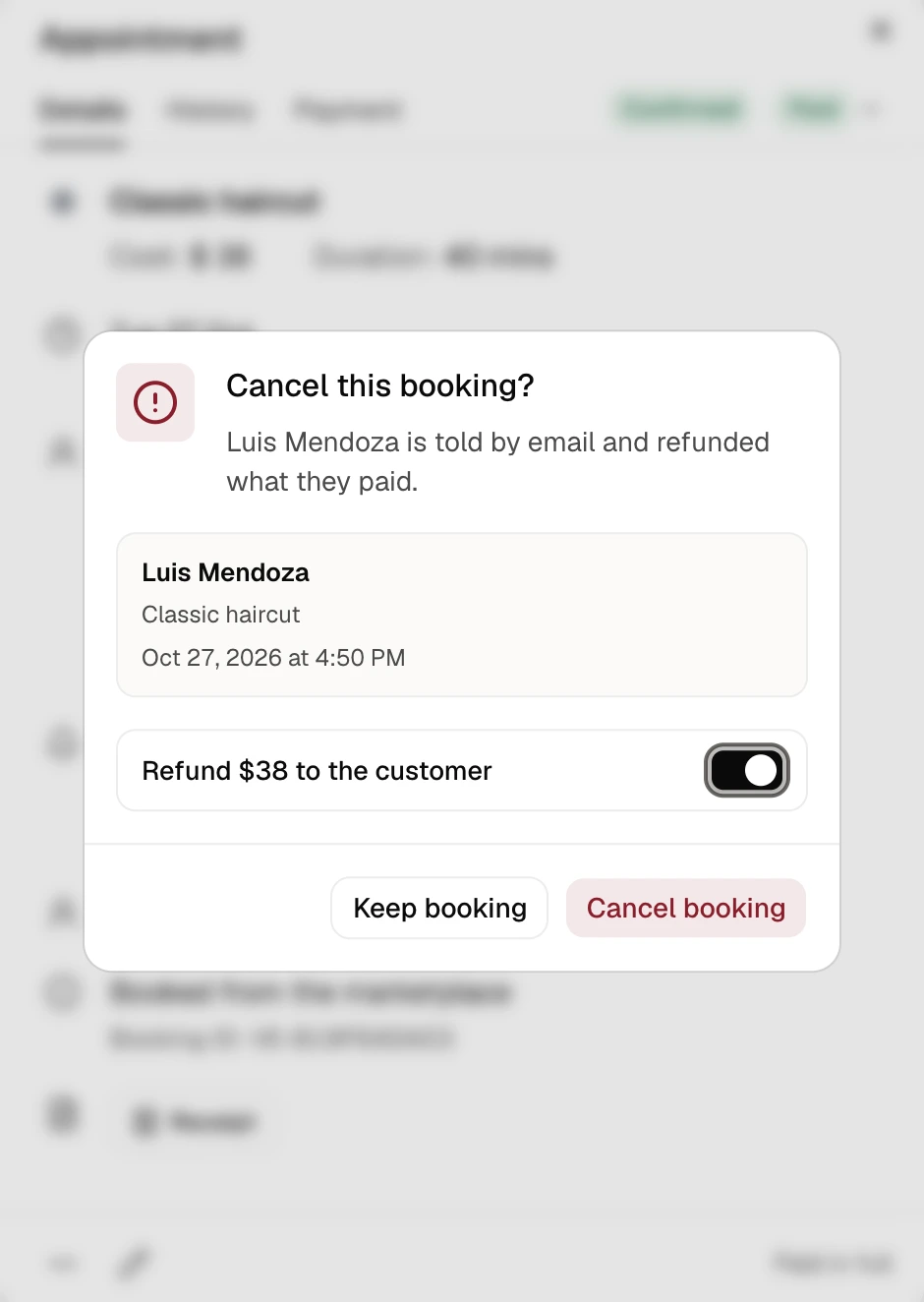
Cancelling from the app refunds the online payment in full.
Refund a payment taken in person
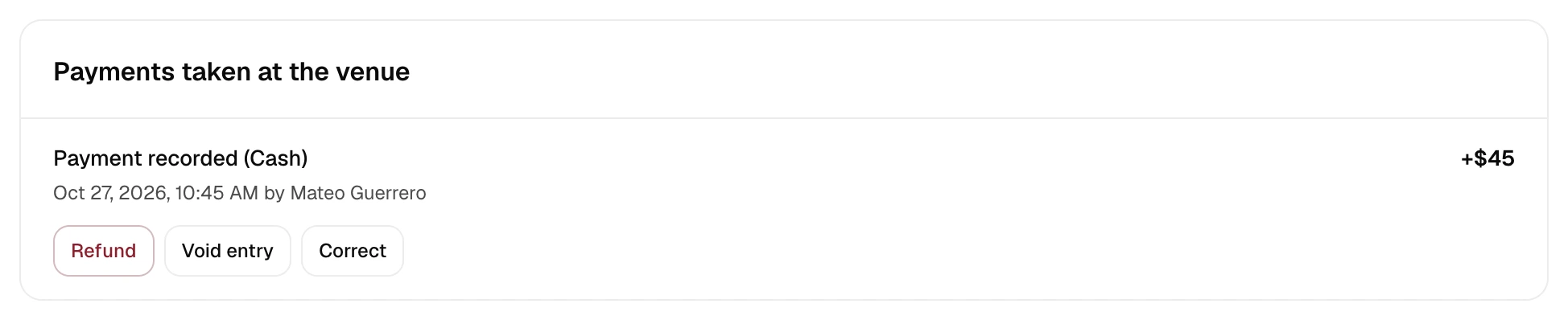
Cash or card taken at the venue is money you hold, so you hand it back yourself and then record it, so the booking, the receipt and your reports stay right.
- Dashboard: open Payments, open the booking's activity, and click Refund on the payment, then confirm. The whole payment is recorded as refunded and you see "Refund recorded". If you handed back only part of it, use Correct on the payment and enter what the customer actually paid.
- If a booking was cancelled after you had taken money outside VECINTI, its activity shows Record refund sent. Return the money, then click it.
- App: open the appointment, choose View receipt, and tap Refund on the cash or card payment. The app asks you to confirm the amount you handed back.
What happens after a refund
- Card refunds go back to the card the customer paid with. Banks usually post them within 5 to 10 business days.
- The refund comes out of your Stripe balance. If the balance can't cover it, Stripe recovers the difference under your Stripe agreement.
- If the booking carried a VECINTI booking fee (Free plan), VECINTI returns its share for the refunded amount to your Stripe account on its own. You never pay the fee on money you gave back.
- The refund shows on the receipt, in the booking, and in your Payments activity. Stripe emails the customer a refund receipt if your Stripe account sends receipts. VECINTI itself emails the customer when you cancel a booking, and that email says what was refunded.
When a refund is not possible
- The payment is disputed. Stripe holds the disputed amount while the dispute is open, and keeps it if the dispute is lost, so VECINTI does not refund a disputed payment. Open disputes are listed under Payments.
- Everything has already gone back. The receipt shows what was refunded and when.
- You refunded from your Stripe Dashboard instead. VECINTI picks it up within a few minutes and updates the booking, but it cannot return its booking fee for a refund made in Stripe, and a payment that covered several bookings needs a review before VECINTI can refund the rest of it. Refund from VECINTI when you can.